![cream-source-icon-white.png]](https://knowledge.creamsource.com/hs-fs/hubfs/cream-source-icon-white.png?height=24&name=cream-source-icon-white.png)
Safety & Warnings
- Disconnect power and secure the fixture on a stable surface before beginning.
- Use the correct T20 Torx bit, non-torque driver for removing all fasteners, and torque driver for applying all fasteners.
Required Tools & Parts
- T20 driver (torque‑capable) for applying new M4 screws
- T20 driver (non-torque-capable) for removing old M4 screws
Kit Overview
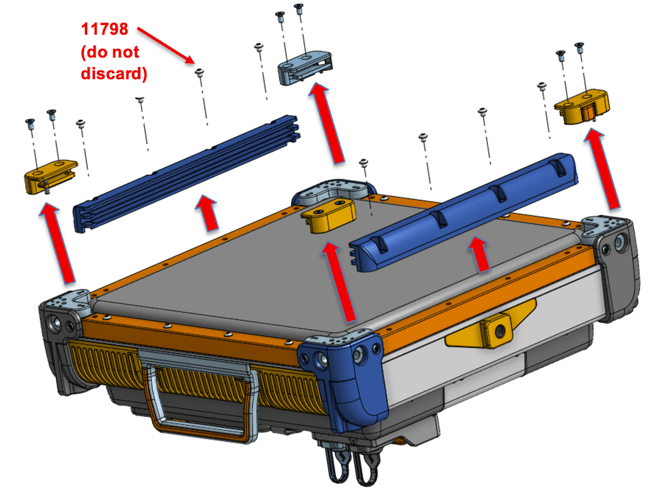
The upgrade kit provides the components necessary to replace the original Accessory Retainer Sub‑Assembly components with the updated design. Remove the old parts before installing the new ones. You will reuse the Retainer Guide screws (P/N 11798), so do not discard these (see below).
Kit Contents
-
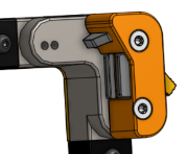
1x Retainer Lens Lock, Left (P/N 30-01079)
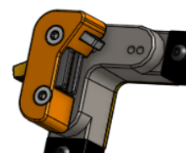
- 1x Retainer Lens Lock, Right (P/N 30-01080)
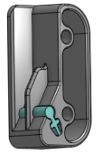
- 1x Retainer Lens Slot, Left (P/N 30-01077)
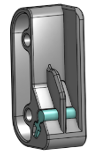
- 1x Retainer Lens Slot, Right (P/N 30-01078)
- 2x Retainer Guide (P/N 20-01061)
- 8x M4x25 Screw (P/N 60-01035)
Removal — Original Components
Vortex4:
Vortex8:
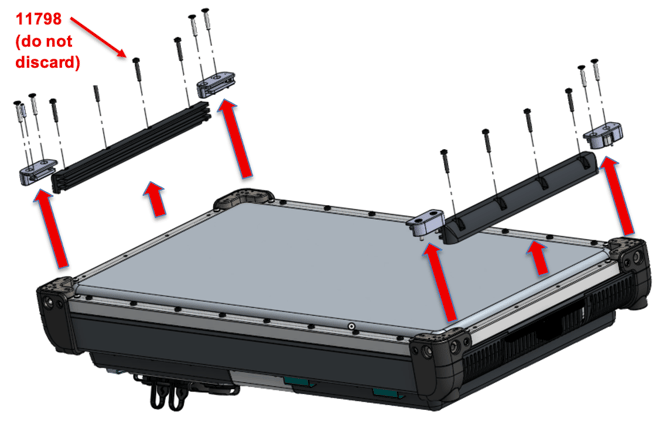
- Using a non-torque-capable T20 driver, unscrew and remove the existing Retainer Lens Locks, Retainer Lens Slots, and Retainer Guides from the original Accessory Retainer Sub-Assembly. Set aside the Retainer Guide screws (P/N 11798) for future use during installation (see below).
Torque Specifications Apply fasteners with a torque of 2.0 Nm (17.7 lbf-in) with a T20 bit.
Installation
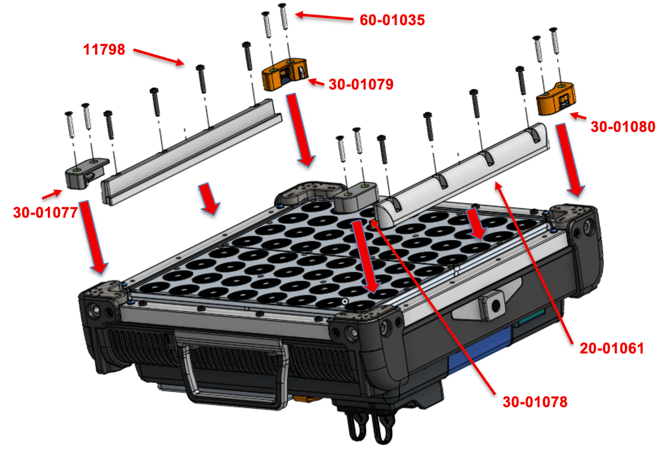
Vortex4:
Vortex8:
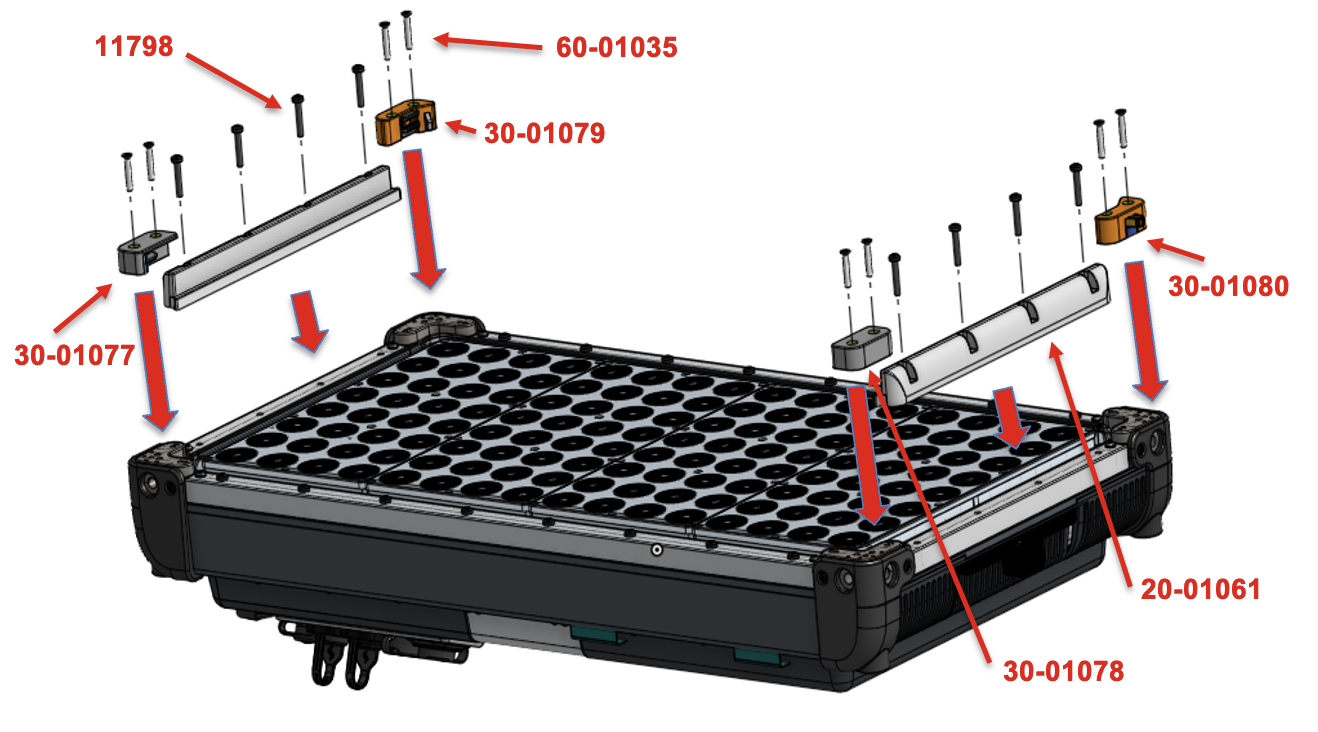
- Using a torque-capable T20 driver set to 2 Nm (17.7 lbf-in), install the Retainer Lens Lock, Left (P/N 30-01079), using 2x M4x25 Screw (P/N 60-01035), on the top left corner of the fixture.
- Using a torque-capable T20 driver set to 2 Nm (17.7 lbf-in), install the Retainer Lens Lock, Right (P/N 30-01080), using 2x M4x25 Screw (P/N 60-01035), on the top right corner of the fixture.
- Using a torque-capable T20 driver set to 2 Nm (17.7 lbf-in), install the Retainer Lens Slot, Left (P/N 30-01077), using 2x M4x25 Screw (P/N 60-01035), on the bottom left corner of the fixture.
- Using a torque-capable T20 driver set to 2 Nm (17.7 lbf-in), install the Retainer Lens Slot, Right (P/N 30-01078), using 2x M4x25 Screw (P/N 60-01035), on the bottom right corner of the fixture.
- Using a torque-capable T20 driver set to 2 Nm (17.7 lbf-in), install 2x Retainer Guide (P/N 20-01061), using the old 8x M4x25 Screw (P/N 11798), on the middle of both sides of the fixture.
- Verify smooth accessory (e.g., using an XWIDE lens) insertion and removal and that all components sit flush.
The head size of the new M4x25 screw (P/N 60‑01035) is smaller than the previous version.
Final Checks
- Confirm all fasteners are torqued to spec.
- Verify no gaps, misalignments, or interference with moving parts.
- Inspect for debris and wipe down the assembly.
- Store or dispose of removed parts per your service policy.